SimRace Publisher Studio
SimRace Publisher
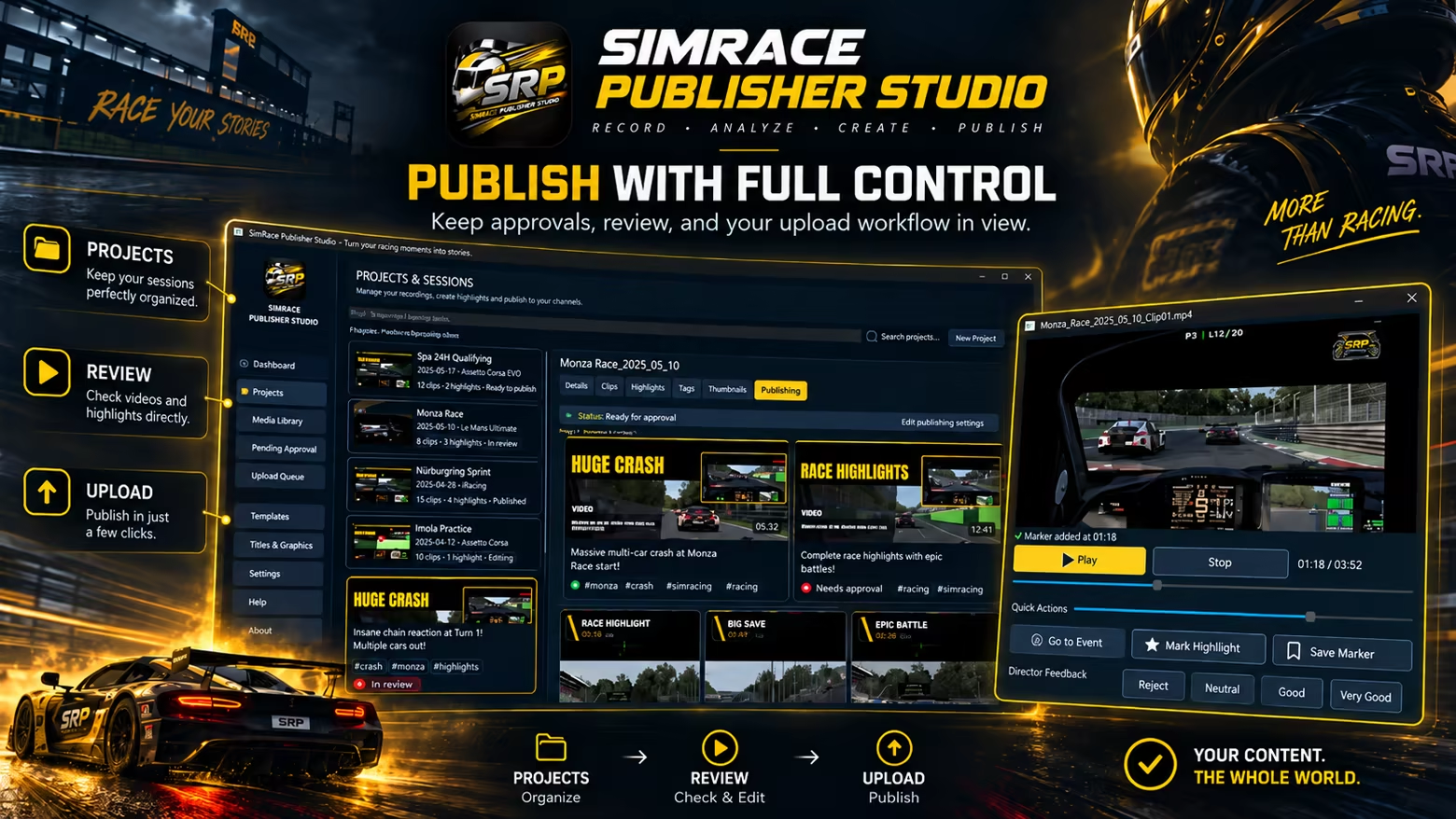
SimRace Publisher Studio automates your sim racing content workflow: record races, create automatic highlights without a monthly quota, generate up to 4 Event Shorts per project in Lite, prepare thumbnails, and publish to YouTube.
System Requirements
Minimum Requirements
Recommended Requirements
About This Game
You race – SimRace Publisher Studio takes care of the content.
SimRace Publisher Studio is built for sim racers who want to publish their races without spending hours after every session reviewing footage, searching for highlights, editing clips, and writing metadata.
From Race to Finished Content
Record your race directly with the integrated recorder or use existing footage. SRP analyzes your race video together with available race data, identifies interesting moments, and automatically turns them into content.
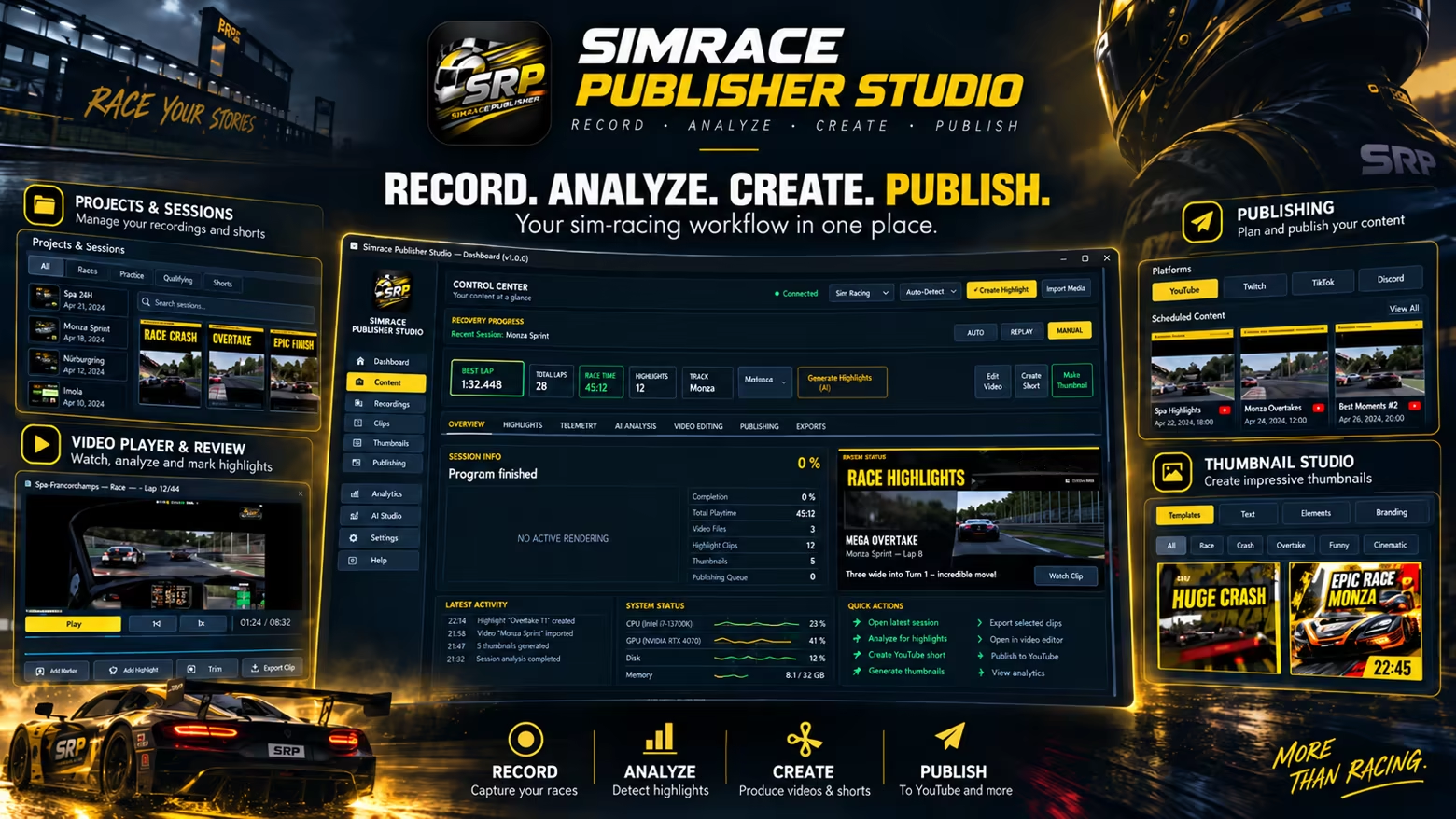
Automatic Recording
With AUTO-REC, SRP can start recording when your race begins and stop when the race ends. You can also record manually or continue using external recording software such as OBS, NVIDIA, or AMD solutions.
Highlights & Shorts
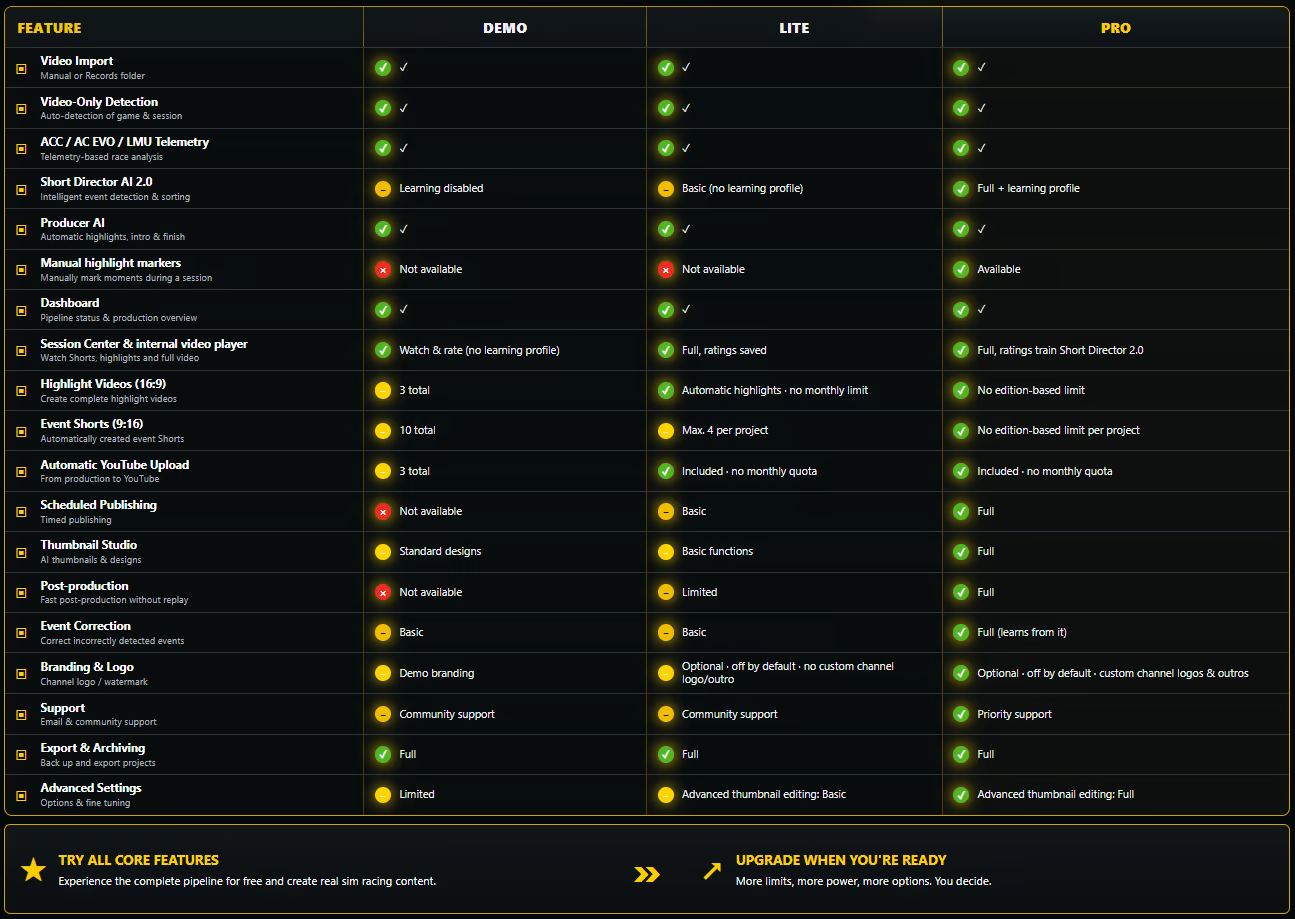
SRP identifies interesting racing moments and uses them to create highlight videos and vertical 9:16 Event Shorts. In Lite, automatic highlight videos are not limited by a monthly quota, and you can create up to 4 Event Shorts per project. Pro removes this per-project Short limit and also unlocks manual highlight marking.
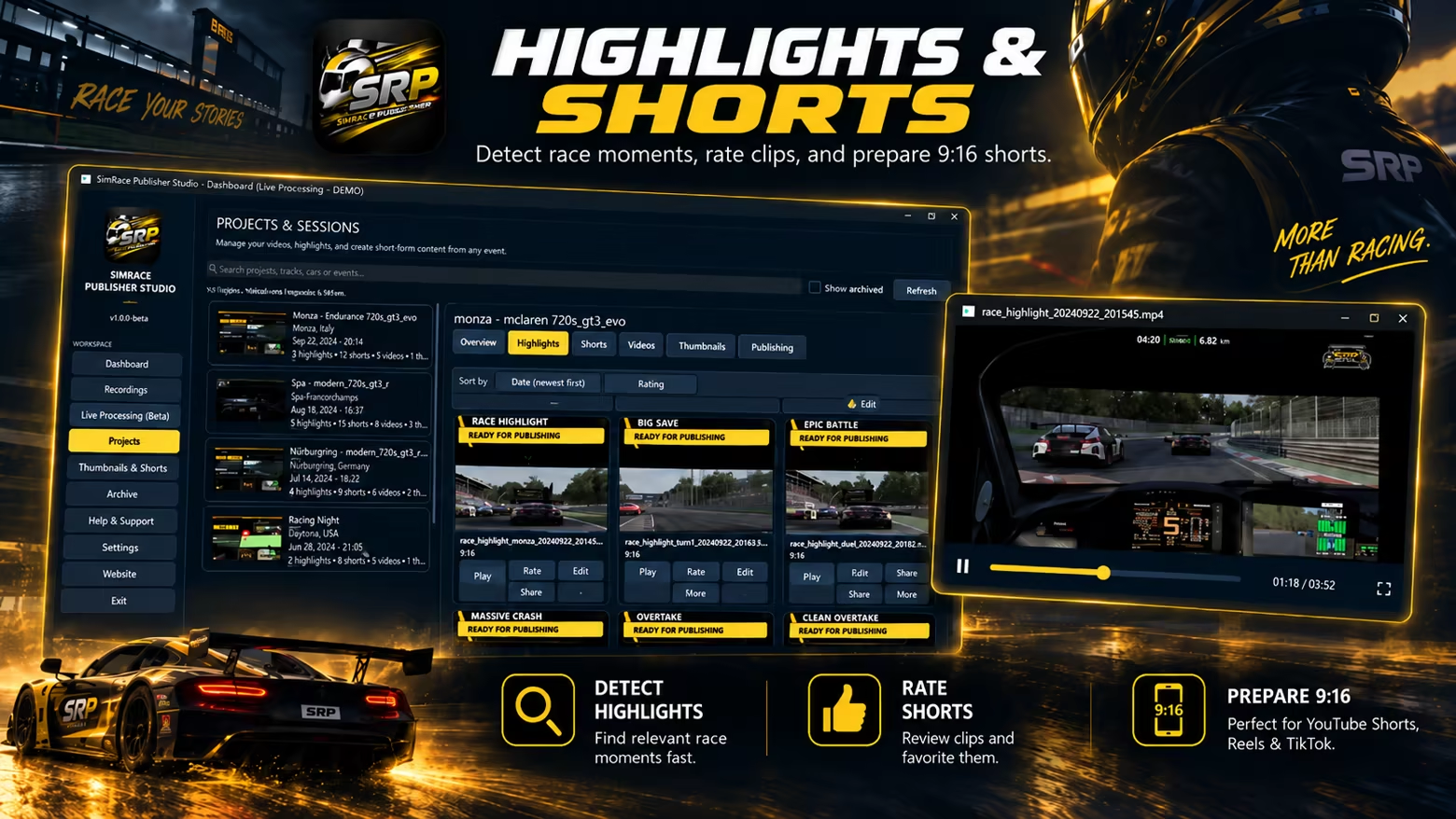
Short Director 2.0
Lite includes the core Short Director workflow for detected racing events. The advanced learning profile that uses your Session Center ratings locally to adapt future selections to your preferences is part of the Pro Upgrade. Learning data stays on your PC.
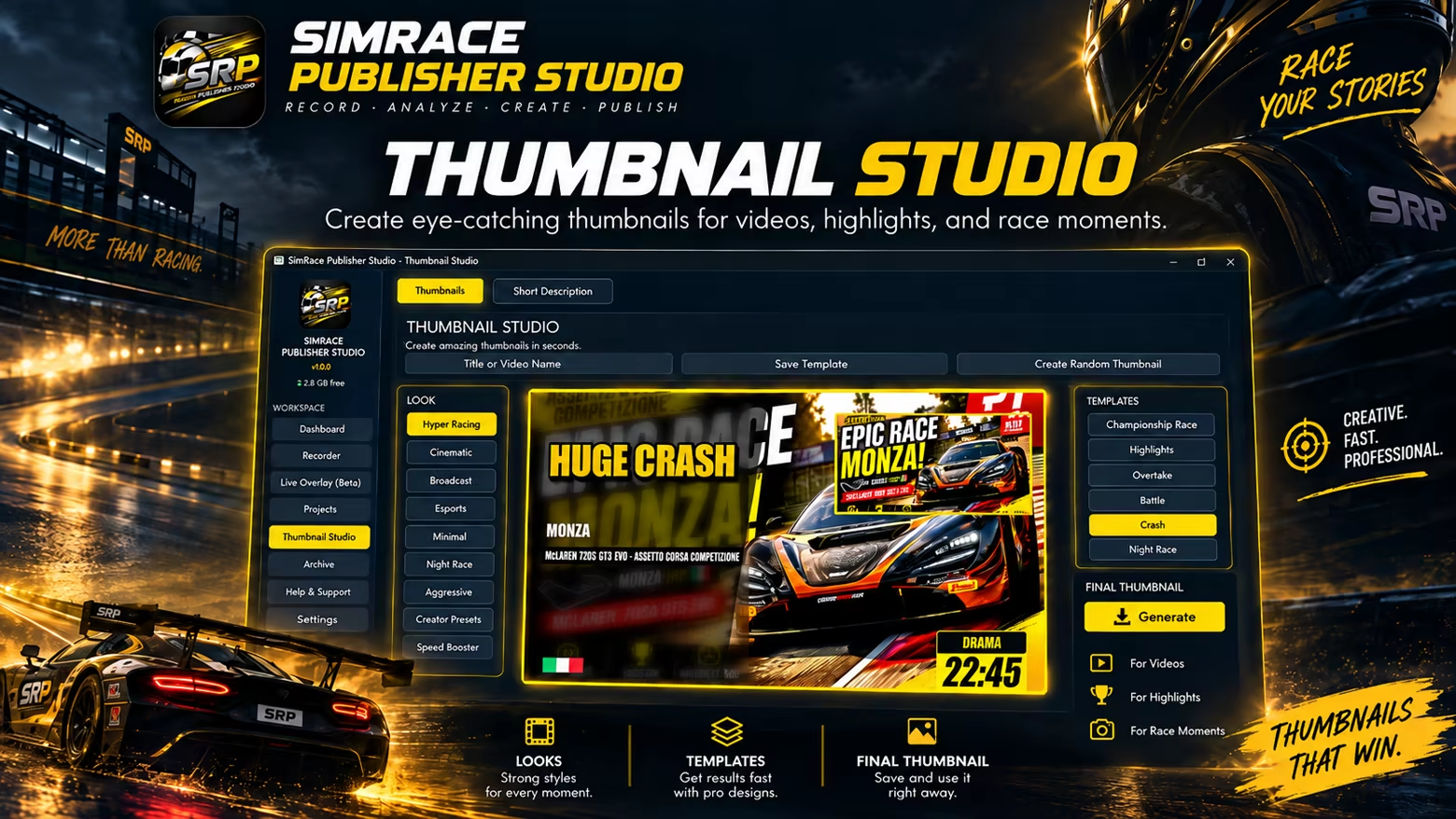
Thumbnail Studio
Lite includes the core Thumbnail Studio workflow for preparing thumbnails for your videos and Shorts. Pro unlocks the complete design and template range and adds the project-based ChatGPT thumbnail workflow for optimizing an existing thumbnail or creating a new AI-assisted version and importing it back to the selected video.
YouTube Publishing
Titles, descriptions, and hashtags can be prepared together with your videos and published to YouTube through the integrated publishing workflow. Lite does not use a monthly YouTube upload quota. Pro adds the complete scheduled publishing and advanced publishing workflow. You remain in control of what gets published.
Built for Sim Racing
SRP is a standalone recording, video production, and publishing application for sim racing. It does not modify, replace, or redistribute game files.
Where supported by the respective racing simulation, SRP can read telemetry and runtime data made available by the running simulation and use this information for session detection, recording automation, and video analysis. This functionality has been tested with Assetto Corsa Competizione, Assetto Corsa EVO, Le Mans Ultimate, and iRacing.
Additional racing simulations can be included in the workflow through visual video analysis and, where available, SimHub data. SimHub is optional and is not required for the core functionality of SRP.
Compatibility with a racing simulation does not imply partnership, affiliation, support, or endorsement by its developer or publisher.
More Control While Racing
Global hotkeys let you control important functions even when SRP is not in the foreground. A dedicated SRP Stream Deck Plugin is also available. SimHub dashboards as well as your own transparent graphics and overlays can be integrated directly into your recording.
Race More. Edit Less.
Once configured, SRP is designed to handle as much of the repetitive work between your racing session and publishing as possible – leaving you more time for what really matters: your next race.
Share Your Experience
Help other gamers! Share how this game runs on your setup, share tips, or ask questions.
Related Games
Discover similar games you might enjoy based on genre and creator.


Legal Disclaimer
The game information, images, descriptions, and system requirements displayed on this page are sourced from third-party platforms and are not owned by Can I Run It. We are not affiliated with, endorsed by, or connected to the game developers, publishers, or distributors.
Can I Run It is a system compatibility checking service that helps users determine if their hardware can run specific games. We do not sell, distribute, or host any game content.
All trademarks, registered trademarks, product names, and company names or logos mentioned herein are the property of their respective owners.
If you believe any content displayed violates your intellectual property rights, please contact us at [email protected] with relevant details, and we will promptly address your concerns.