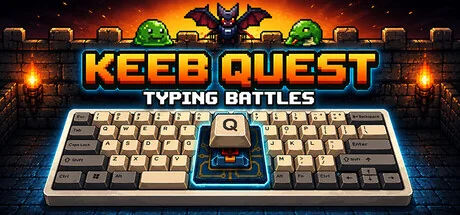
Keeb Quest: Typing Battles
J.Man Games
Keeb Quest turns typing practice into an adventure. Type to defeat enemies and bosses, explore branching stories, and sharpen your speed and accuracy across a variety of game modes. Every keypress counts as you chase high scores and discover how far your typing can take you.
System Requirements
Minimum Requirements
Recommended Requirements
About This Game
Keeb Quest is a full-fledged typing game that turns practice into an adventure. Use your keyboard to battle enemies and bosses, explore branching stories, learn touch typing through structured lessons, and track your improvement across multiple modes. Build speed, accuracy, and confidence - then see how far you can go.
Features and Game Modes
Classic Mode
Fight through escalating waves of enemies. Every five rounds, choose your next boss from a random pair. Runs last around 8-12 minutes.
Boss Survival
Endless challenges across five distinct boss types: Paragraph, Falling Words, Word Grid, Dialogue, and Line Rush. Or take on Gauntlet, a nonstop run through every boss type in sequence.
Adventure Mode
A relaxed, no-pressure mode where you type through branching stories and shape the narrative with your choices. Choose your path and discover multiple endings at your own pace.
Academy
Targeted typing drills to sharpen the skills you'll need. Practice weak keys, build speed, and warm up before a run. A full curriculum with 140 lessons is available to teach you touch typing from beginning to end. Take on challenge lessons and chapter bosses to put your skills to the test.
Track Your Progress
Per-key heatmaps, WPM curves, accuracy grades, high scores, and achievements. Review session history to spot trends, identify weak keys, and watch your speed climb over time. Compete on leaderboards against friends and the global player base.
Every Keystroke Counts
Whether you're looking to improve your typing speed or just want a fun way to practice, Keeb Quest turns every keypress into an adventure.
Share Your Experience
Help other gamers! Share how this game runs on your setup, share tips, or ask questions.
Related Games
Discover similar games you might enjoy based on genre and creator.





Legal Disclaimer
The game information, images, descriptions, and system requirements displayed on this page are sourced from third-party platforms and are not owned by Can I Run It. We are not affiliated with, endorsed by, or connected to the game developers, publishers, or distributors.
Can I Run It is a system compatibility checking service that helps users determine if their hardware can run specific games. We do not sell, distribute, or host any game content.
All trademarks, registered trademarks, product names, and company names or logos mentioned herein are the property of their respective owners.
If you believe any content displayed violates your intellectual property rights, please contact us at [email protected] with relevant details, and we will promptly address your concerns.