Figryne Cast Studio Engine
Mimizuku & co., Inc.
An all-in-one VTuber streaming studio that tracks your VRM avatar in real time and takes you live. Its 3D-native engine brings cinematic post-FX and Axis 3D depth, and you can stream straight to YouTube, Twitch, and any RTMP-compatible service. No OBS needed.
System Requirements
Minimum Requirements
Recommended Requirements
About This Game
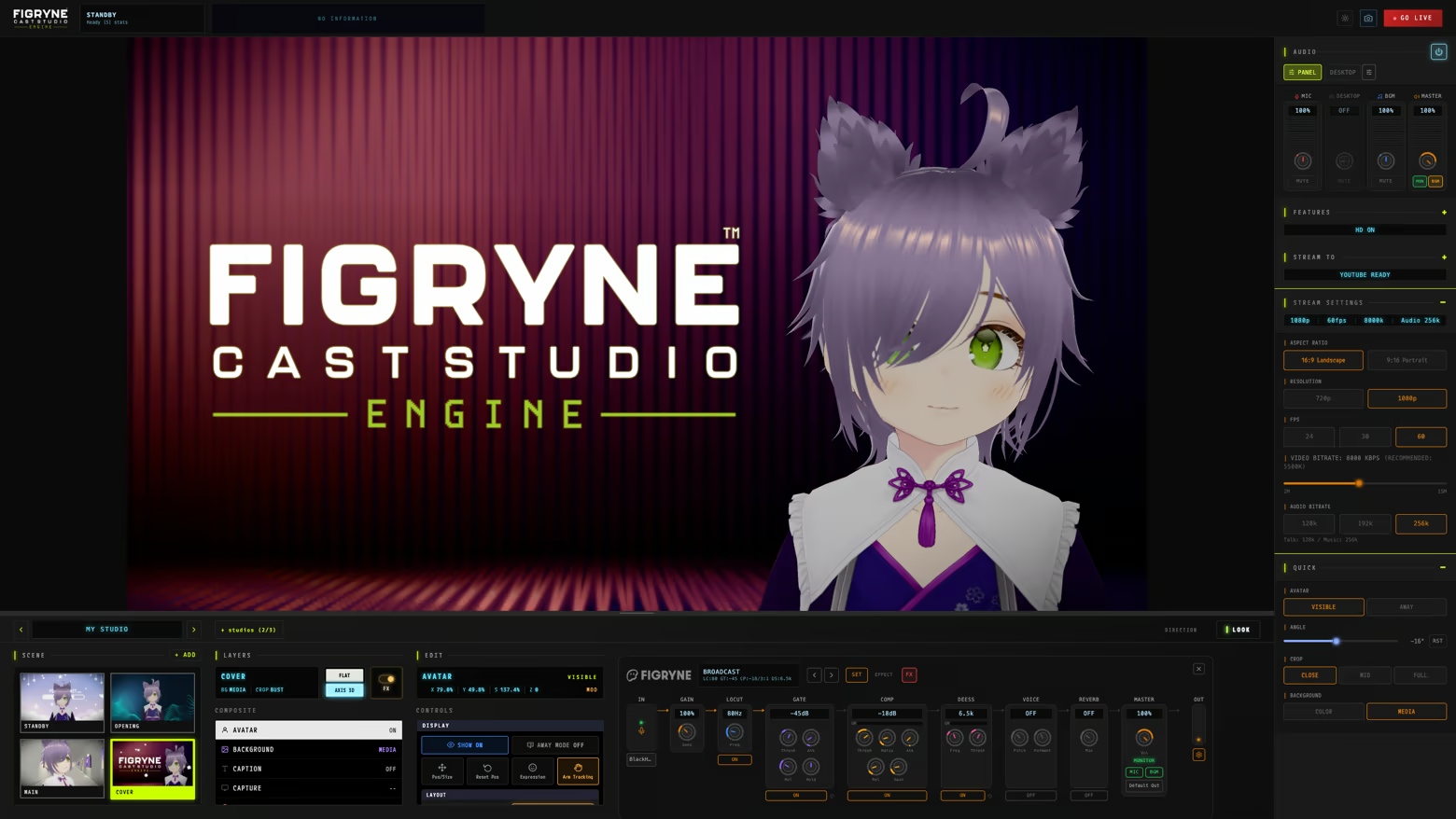
Track, compose, and go live — all from one app. Figryne Cast Studio Engine is a 3D-native VTuber streaming studio that turns your VRM avatar into a finished, cinematic broadcast without OBS, capture-card juggling, or plugin soup.
All-in-one — No OBS Required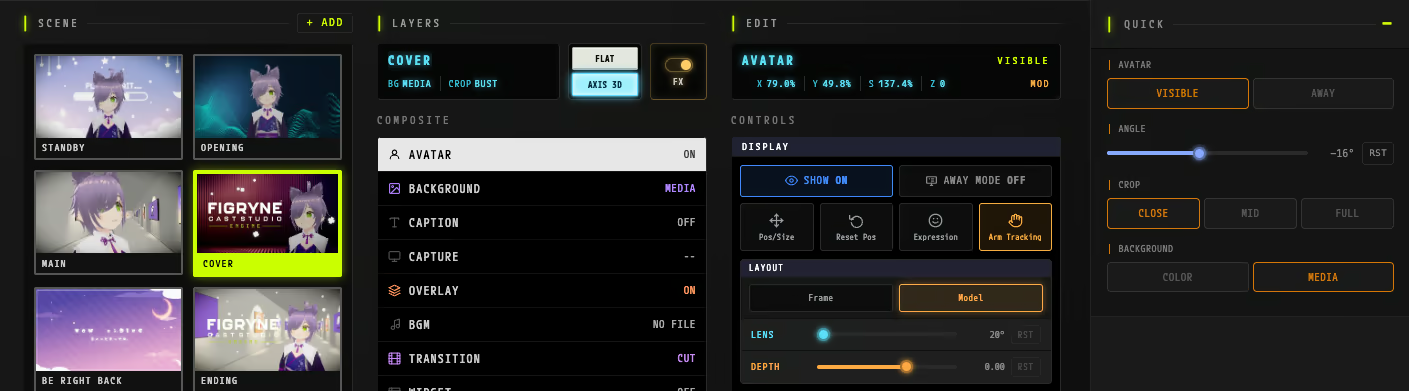
Avatar, scenes, effects, audio and streaming live in a single window. Open the app, pick a scene, and you are on air.
Real-time Avatar Tracking
Face & hand tracking from a single webcam
Eye / gaze tracking
Works with Perfect Sync models — drive all 52 blendshapes from a single webcam (no iPhone required)
Smooth, rule-based motion that tames the jitter of raw tracking
Cinematic Look — Built-in Post-FX
A dedicated LOOK panel handles your entire look in-app — no editing software required.
Bloom, Depth of Field, Vignette
LUT color and tone mapping (ACES)
Beauty light & rim light
A unified, cinematic look, straight out of the app.
Axis 3D — Head-Coupled Perspective
Head-coupled 3D depth. The scene shifts with real perspective and parallax, so a flat overlay becomes a space your avatar actually lives in.
Scene System
Build scenes and switch instantly. Stinger transitions, telop / captions, live comments, background video & images, and screen / USB capture are all built in.
Integrated RTMP Streaming
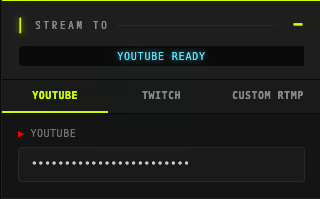
Stream straight to YouTube Live, Twitch, and any RTMP-compatible service via custom RTMP — no extra software, just paste your stream key. Landscape and vertical 9:16 both supported.
Audio
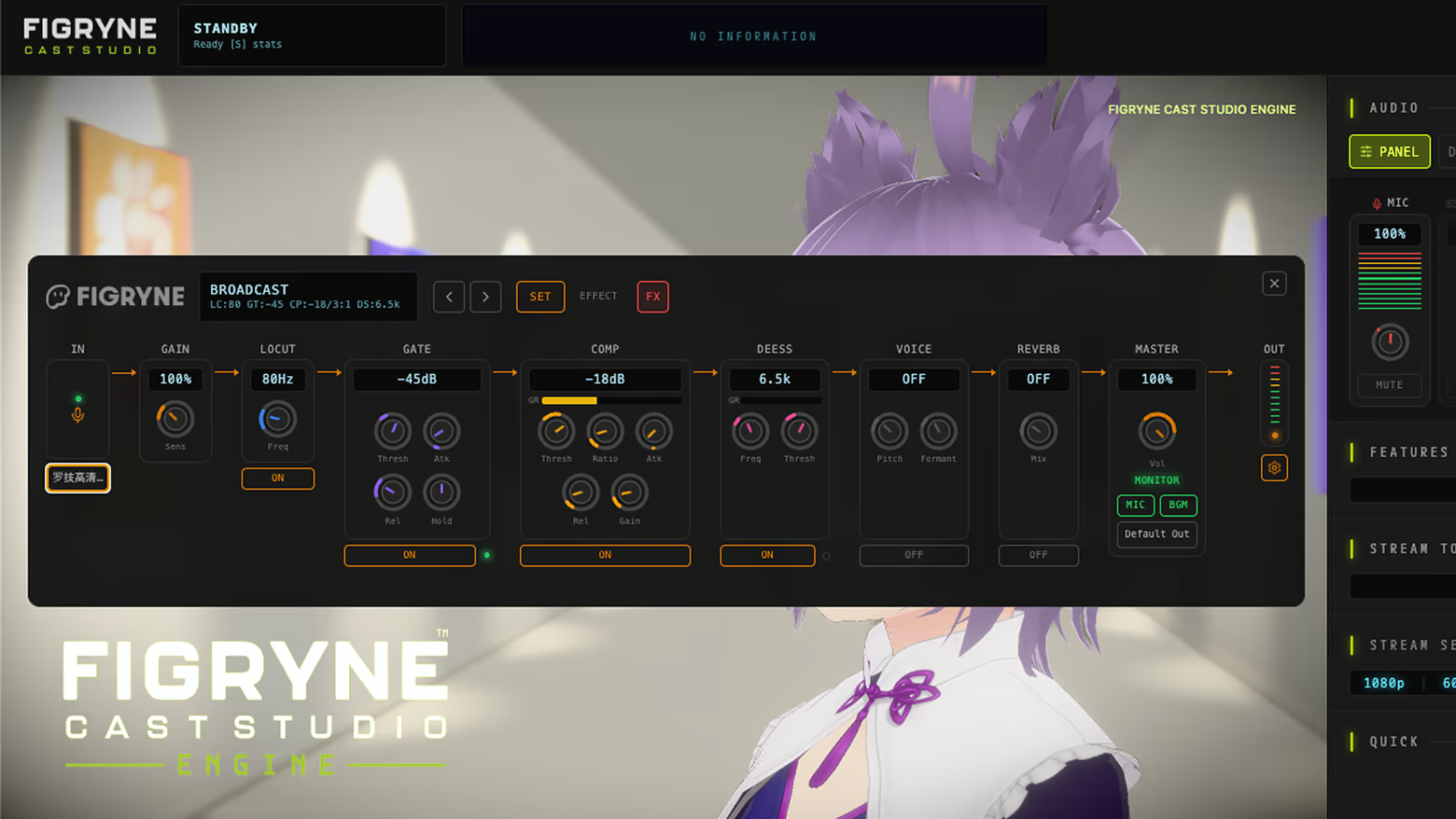
5-channel mixer (Mic / Desktop / Capture / BGM / Master)
Real-time voice changer (pitch & formant)
LoCut, Gate, Comp, De-Ess, Reverb effects chain
Expand with Content Packs
Grow the studio over time with optional content packs — starting with the Cinematic LUT Pack (.cube LUT grades + film grain).
Languages Supported
English / 日本語 / 한국어 / 简体中文 / Bahasa Indonesia
System
Windows 10/11 (64-bit) · macOS 12 or later (Apple Silicon)
About the Demo
The demo lets you try the app's features for 5 minutes per session.
After that, a short cooldown applies before you can try again.
Share Your Experience
Help other gamers! Share how this game runs on your setup, share tips, or ask questions.
Related Games
Discover similar games you might enjoy based on genre and creator.
Legal Disclaimer
The game information, images, descriptions, and system requirements displayed on this page are sourced from third-party platforms and are not owned by Can I Run It. We are not affiliated with, endorsed by, or connected to the game developers, publishers, or distributors.
Can I Run It is a system compatibility checking service that helps users determine if their hardware can run specific games. We do not sell, distribute, or host any game content.
All trademarks, registered trademarks, product names, and company names or logos mentioned herein are the property of their respective owners.
If you believe any content displayed violates your intellectual property rights, please contact us at [email protected] with relevant details, and we will promptly address your concerns.