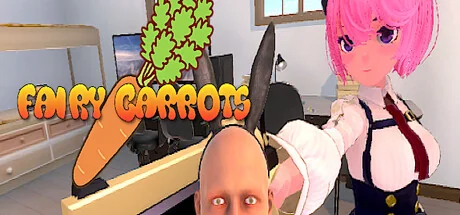
Fairy Carrots
riinwin
Stealth action exploration game in which a "little hater" hides in a shared house where nine girls live and runs around looking for carrots.
System Requirements
Minimum Requirements
Recommended Requirements
About This Game
You Are A Fairy Who Loves Carrots.
Let's go on an adventure today in search of carrots.
Your adventure takes place in a share house where nine girls live.
But for some reason, they hate you very much.
They will surely attack you with a gun when they find you.
You, the little you, hide yourself in the cracks of desks, under beds, and sometimes in very dirty places to find all the carrots without them finding you.
This is a stealth action exploration game starring the "little hater".
Game Features
The World As Seen By A Little Hater
You Are Very Small Compared to the Humans.
Furniture such as desks and bookshelves, and small objects such as books and computers are the perfect size for you to hide from the humans.
You will search for your favorite carrot while hiding in objects that are commonplace to humans.
Simple Yet Versatile Actions
You Are A Fairy With Very High Physical Ability.
You can run around the house using double jumps, wall running, cliff catching, and more.
Implementation Of the Hint Function
We have implemented a hint function to help you find the carrot.
You can search all over the house for the carrot with no hints, or you can rely on hints to find the carrot.About Video Distribution
・Distribution is available to both individuals and corporations without permission.
・Monetization is only possible when using the functions provided by the video distribution site.
・We would appreciate it if you include the name of the game in the title of your video or live broadcast, or include a link to the Steam page in the summary section.
We will not be liable for any damages caused by the distribution of videos of this game.
The contents of these guidelines are subject to change without notice.When using a gamepad
・If you click outside of the menu using the mouse, you will no longer be able to operate the menu using only the controller. To restore the ability to operate the menu with the controller, you will need to operate the menu using the mouse only once.
・The default settings for the camera speed are set for gamepad use. If you wish to change the camera speed or other settings, set the desired values from the settings screen.When using a keyboard and mouse
・The default camera speed settings are intended for use with a gamepad. If you are using a mouse, we recommend that you set the camera speed near the minimum value from the settings screen.
Share Your Experience
Help other gamers! Share how this game runs on your setup, share tips, or ask questions.
Related Games
Discover similar games you might enjoy based on genre and creator.





Legal Disclaimer
The game information, images, descriptions, and system requirements displayed on this page are sourced from third-party platforms and are not owned by Can I Run It. We are not affiliated with, endorsed by, or connected to the game developers, publishers, or distributors.
Can I Run It is a system compatibility checking service that helps users determine if their hardware can run specific games. We do not sell, distribute, or host any game content.
All trademarks, registered trademarks, product names, and company names or logos mentioned herein are the property of their respective owners.
If you believe any content displayed violates your intellectual property rights, please contact us at [email protected] with relevant details, and we will promptly address your concerns.