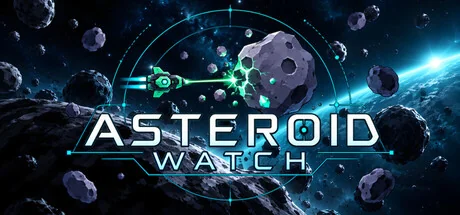
Asteroid Watch
Umit Canbolat
An online space-mining idle incremental game that lives in the corner of your screen. Mine alongside other pilots, unlock automatic mining, upgrade your ship, and build your own orbital station while you work or browse.
System Requirements
Minimum Requirements
Recommended Requirements
About This Game
Asteroid Watch is an online idle incremental game that runs in the corner of your screen. Grow a mining operation alongside your everyday desktop activities, turning asteroid ore into stronger ships, new upgrades, and an expanding orbital station.
A little mining. Another upgrade. One more piece of your station.
Less clicking. More mining.
Start with manual shots, then unlock Auto Miner to let your ship handle the firing. Keep it mining while you work or browse, and check in to unload your cargo, spend your haul, and decide what comes next.
Bigger holds let you bring back more. Stronger ships help you break tougher targets. Each trip gives you something to put toward the next improvement.
Want to get involved? Catch falling stars, trigger abilities, and time an Overcharge boost to push your mining power further.
The asteroids are shared. The station is yours.
Mine alongside other pilots at shared asteroids. Watch your target shrink and break apart under fire as your cargo fills with ore.
Then head home and put your haul to work. Sell it for credits or save it for upgrades. Invest in more firepower, make room for bigger hauls, or buy the next module for your station.
Shared mining. Your own growing operation.
Build more than bigger numbers.
Expand your station by buying and attaching working modules. Add storage, unlock ship upgrades, and bring refineries and a research lab into your operation.
Convert ore into the materials you need. Research longer production queues and automatic transfers. Attach more refineries as your operation grows.
Your progress takes shape around you: what starts as a small orbital home becomes a station with more space, more functions, and more ways to use every haul.
Upgrade your ship. Push further.
Work through branching upgrades, unlock stronger hulls, and choose specializations with meaningful trade-offs. Favor ore yield or mining power, and build around the resources you need next.
Advance through a 200+ upgrade tree and five sectors to reach new ore types, higher rarities, and tougher asteroids. Armor, radioactive interruptions, and encounter deadlines give you reasons to choose your destination carefully.
Later, unlock Ascension: reset your operation and build again with permanent bonuses to mining power and ore yield.
Share Your Experience
Help other gamers! Share how this game runs on your setup, share tips, or ask questions.
Related Games
Discover similar games you might enjoy based on genre and creator.






Legal Disclaimer
The game information, images, descriptions, and system requirements displayed on this page are sourced from third-party platforms and are not owned by Can I Run It. We are not affiliated with, endorsed by, or connected to the game developers, publishers, or distributors.
Can I Run It is a system compatibility checking service that helps users determine if their hardware can run specific games. We do not sell, distribute, or host any game content.
All trademarks, registered trademarks, product names, and company names or logos mentioned herein are the property of their respective owners.
If you believe any content displayed violates your intellectual property rights, please contact us at [email protected] with relevant details, and we will promptly address your concerns.