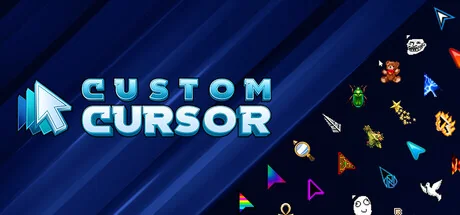
Custom Cursor
Playsaurus
Make your mouse cursor your own with Playsaurus's Custom Cursor. Swap in custom packs, layer on visual effects like glow, color, and zoom, and bring your desktop to life with animated overlays, applied system-wide or per application.
Системные требования
Минимальные требования
Рекомендуемые требования
Об этой игре
Personalize your mouse cursor with Playsaurus's Custom Cursor on Steam. Custom Cursor is a cursor changer that lets you replace and enhance your Windows cursor with custom packs, visual effects, and animated overlays, applied system-wide or only to specific applications and games.
Cursor Packs
Start with Cursor Packs if you want a quick way to change how your cursor looks:
Browse a library of premade cursor bundles included with the app
Import your own .cur and .ani files to build personal packs
Apply cursors system-wide or target a specific application
Preview every cursor state (normal, busy, text, resize, and more) before applying
Switch back to the default Windows cursor at any time
Visual Effects
For deeper customization, Custom Cursor provides a set of visual effects you can layer on top of any cursor:
Glow Effect: Add a soft glow around your cursor in any color
Color Effect: Recolor cursors on the fly without editing the source files
Highlight Effect: Draw attention to your cursor with a spotlight ring
Cross Effect: Display crosshair lines across the screen for precise aiming
Zoom Effect: Magnify the area under your cursor
Click Effect: Trigger visual feedback whenever you click, with optional show-on-click-only mode
Animated Bundles
Special animated bundles powered by a built-in particle engine let your cursor leave trails, sparks, and custom particle effects as you move.
Steam Workshop
Share your creations and download cursor packs made by the community directly through Steam Workshop. Find new styles, subscribe, and apply them with a single click.
About Us
Playsaurus has developed several popular clicker games including Clicker Heroes and Mr. Mine. We are also the Steam publisher of the classic game Cookie Clicker. Custom Cursor is our way of bringing a little more personality to the tool you use every day. Please enjoy!
Notes:
Some effects require the in-game cursor hook and may behave differently per title
Some games draw their cursor in-game, so it can't be replaced directly — use the "Hidden" option to draw a custom cursor on top of it instead
Be careful using in-game effects with anti-cheat protected titles (EAC, BattlEye, Vanguard, VAC) — the DLL hook may get you kicked or banned, and always consult the game's terms of use before enabling effects
Compatible with Windows 10+
Поделитесь своим игровым опытом
Help other gamers! Share how this game runs on your setup, share tips, or ask questions.
Лучшие игры
Discover similar games you might enjoy based on genre and creator.





Отказ от ответственности
Информация об игре, изображения, описания и системные требования, представленные на этой странице, получены со сторонних платформ и не принадлежат Can I Run It. Мы не связаны с разработчиками, издателями или дистрибьюторами игр, не поддерживаемся ими и не имеем к ним отношения.
Can I Run It — это сервис проверки совместимости системы, который помогает пользователям определить, может ли их оборудование запускать определенные игры. Мы не продаем, не распространяем и не размещаем игровой контент.
Все товарные знаки, зарегистрированные товарные знаки, названия продуктов и названия компаний или логотипы, упомянутые здесь, являются собственностью их соответствующих владельцев.
Если вы считаете, что какой-либо отображаемый контент нарушает ваши права интеллектуальной собственности, свяжитесь с нами по адресу [email protected] с соответствующими подробностями, и мы оперативно рассмотрим ваши вопросы.