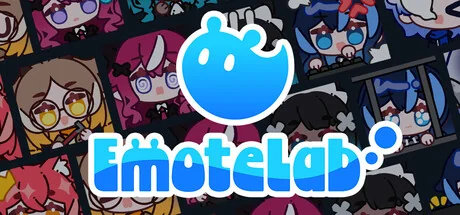
EmoteLab
0x4682B4
EmoteLab is a simple character and emote creation tool that lets you design custom characters and export animated emotes for Discord, Twitch, and everyday chats—no animation or content creation experience required.
Requisitos do Sistema
Requisitos Mínimos
Requisitos Recomendados
Sobre este jogo
EmoteLab is a utility tool for creating customized characters and animated emotes. The exported emotes can be used on platforms such as Discord, Twitch, and various social media or chat applications. Whether you’re a content creator, a VTuber, or simply someone who enjoys using expressive emotes and emojis in daily conversations with friends and family, EmoteLab provides a simple and approachable way to sprinkle some cuteness into your chats and drive community engagement.
A built-in customizable character model featuring a variety of preset parts and animation clips is included. You can combine hairstyles, facial features, clothing, and accessories to create original characters, personal avatars, or fun chat emotes. Character size and other properties can be adjusted to meet the upload requirements of different platforms.
Key Features
Beginner-friendly interface for character customization
Real-time preview of changes
Flexible export settings for common platforms
Save and reuse character presets
Supports third-party Spine2D models (Version 4.3 required; specific naming conventions apply to enable the built-in customization interface)
What You Can Do
🎨 Create Custom Characters
Mix and match available character parts such as hair, facial features, clothing, and accessories
Adjust parts using intuitive sliders
Apply color tints to individual character parts
Save character presets and load them later
💫 Preview & Test Animations
Browse and play animations from the built-in animation library
Preview how your character appears in different animations
Zoom, rotate, and reposition characters in the viewport
Try different combinations before exporting
🎞️ Export Animated GIFs
Export animations as animated GIFs
Control output size, frame rate, and quality
Use presets optimized for platforms like Discord and Twitch
Export with transparent backgrounds
🗃️ Manage Your Characters
Save multiple character variations
Switch between saved characters easily
Delete characters you no longer need
Export character settings in a shareable format to exchange presets with others
Perfect For
Creating animated emojis and emotes for Discord, Twitch, and social media
Adding personalized emotes to everyday chats with friends and family
Generating short character animations for casual content creation
Important Notes Before Purchasing
EmoteLab uses a premade, customizable character model. While it offers a variety of parts and animations, it is not possible to create every type of character. The available parts and animation clips are limited to what is included in the current version of the software.
The developer may add new parts and animation clips over time based on user feedback, but it is not guaranteed that all requests can be fulfilled.
Please review the documentation website to see the full list of currently available character parts and animation clips. Purchasing decisions should be based on the current features and contents, rather than expectations of future updates.
EmoteLab is designed for general users with no background in animation or content creation. It is not a professional animation tool and does not support keyframing or manual editing of individual part movements.
Compartilhe Sua Experiência de Jogo
Help other gamers! Share how this game runs on your setup, share tips, or ask questions.
Jogos mais bem avaliados
Discover similar games you might enjoy based on genre and creator.

Aviso Legal
As informações, imagens, descrições e requisitos de sistema do jogo exibidos nesta página são originários de plataformas de terceiros e não são propriedade do Can I Run It. Não somos afiliados, endossados ou conectados aos desenvolvedores, editores ou distribuidores do jogo.
Can I Run It é um serviço de verificação de compatibilidade de sistema que ajuda os usuários a determinar se seu hardware pode executar jogos específicos. Nós não vendemos, distribuímos ou hospedamos qualquer conteúdo de jogos.
Todas as marcas comerciais, marcas registradas, nomes de produtos e nomes ou logotipos de empresas mencionados aqui são propriedade de seus respectivos proprietários.
Se você acredita que algum conteúdo exibido viola seus direitos de propriedade intelectual, entre em contato conosco em [email protected] com detalhes relevantes e trataremos prontamente de suas preocupações.