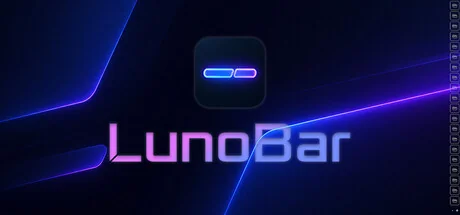
LunoBar
HarQuall
LunoBar is a desktop launcher for quickly opening your favorite apps, files, and websites while managing widgets, crosshairs, system monitoring, and visual customization in one place. Share and apply backgrounds, borders, icons, and crosshairs through Steam Workshop.
Requisiti di sistema
Requisiti minimi
Requisiti raccomandati
Informazioni su questo gioco
LunoBar is a customizable desktop launcher designed to keep your most-used programs, files, folders, and websites in one place for quick access.
Launch items instantly from a compact launcher bar, check last-used times and launch counts, and build your own desktop setup with built-in widgets and extensive customization options.
No more digging through folders, hunting for desktop shortcuts, or browsing browser bookmarks. LunoBar keeps what you use most within reach for a faster, more convenient workflow.
Main Features
 • Quick Access Launcher
Register programs, files, folders, and websites and launch them with a single click.
• Usage Tracking
View launch counts and last launch times for registered items when launched from the launcher bar.
• Desktop Customization
Freely adjust colors, opacity, borders, icons, bar position, button slots, multi-monitor placement, tooltip preview size, and launcher bar background images to match your style.
• Built-in Widgets
Use Todo List, Memo, Pomodoro Timer, Luno Monitor, and Luno Crosshair widgets.
 • Luno Monitor
Monitor CPU, RAM, GPU, process information, and other system stats in real time through a compact HUD, with support for visual clarity, color, and visibility adjustments.
 • Luno Crosshair
Create a center-screen crosshair using built-in shapes or your own images, with full control over appearance.
Note: The crosshair is drawn as a screen overlay. If it doesn't appear in-game, switch to Borderless Windowed or Windowed mode.
• Steam Workshop Support
Browse, download, upload, and auto-apply launcher backgrounds, button borders, button icons, and crosshair designs.
LunoBar is a lightweight, powerful desktop utility for users who want fast access and high freedom to personalize their workspace.
Condividi la tua esperienza di gioco
Help other gamers! Share how this game runs on your setup, share tips, or ask questions.
Giochi più votati
Discover similar games you might enjoy based on genre and creator.


Avvertenza legale
Le informazioni sul gioco, le immagini, le descrizioni e i requisiti di sistema visualizzati su questa pagina provengono da piattaforme di terze parti e non sono di proprietà di Can I Run It. Non siamo affiliati, approvati o collegati agli sviluppatori, editori o distributori del gioco.
Can I Run It è un servizio di verifica della compatibilità di sistema che aiuta gli utenti a determinare se il loro hardware può eseguire giochi specifici. Non vendiamo, distribuiamo o ospitiamo alcun contenuto di gioco.
Tutti i marchi, marchi registrati, nomi di prodotti e nomi o loghi di aziende citati nel presente documento sono di proprietà dei rispettivi titolari.
Se ritieni che qualsiasi contenuto visualizzato violi i tuoi diritti di proprietà intellettuale, ti preghiamo di contattarci all'indirizzo [email protected] con dettagli pertinenti e risolveremo prontamente i vostri problemi.