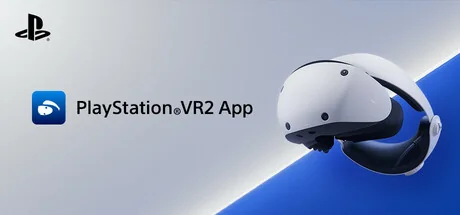
PlayStation®VR2 App
Sony Interactive Entertainment
Enjoy VR games and apps on Steam with PlayStation VR2! Install PS VR2 App to use PS VR2 on your PC, set up your PS VR devices, and keep the firmware for PS VR2 headset and PS VR2 Sense controllers up to date.
Configuration requise
Exigences minimales
Exigences recommandées
À propos de ce jeu
- Play VR games and apps on Steam using your PlayStation VR2 VR headset and PlayStation VR2 Sense controllers.
- Set up your PlayStation VR2 on your PC.
- Update the firmware for your PlayStation VR2 VR headset and PlayStation VR2 Sense controllers.
- Adjust settings for your PlayStation VR2 from the SteamVR dashboard, including setting your play area and screen brightness.
You'll need the following to get started with PlayStation VR2 App:
- PlayStation VR2 VR headset
- PlayStation VR2 Sense controllers
- PlayStation VR2 PC adapter
- DisplayPort™1.4 cable (sold separately)
- Bluetooth® adapter (sold separately, required only if your PC doesn't support Bluetooth®)
For details about the required specs for PC, visit the PlayStation VR2 support page, or refer to the "System Requirements" section below.
Using this app
When connecting PlayStation VR2 Sense controllers to a PC, connection or tracking problems may occur depending on the condition of the Bluetooth devices being used or the surrounding environment. In such cases, refer to the PlayStation Support page titled "Bluetooth adapters compatible with PS VR2 on PC" for more information.
To play VR games and apps on Steam with PlayStation VR2, PlayStation VR2 App needs to be installed on your PC. Keep the app installed even after initial setup is complete.
"Partagez votre expérience de jeu"
Help other gamers! Share how this game runs on your setup, share tips, or ask questions.
Please log in to share your experience with the community!
Jeux les mieux notés
Discover similar games you might enjoy based on genre and creator.




Avis Légal
Les informations sur le jeu, les images, les descriptions et la configuration système requise affichées sur cette page proviennent de plateformes tierces et n'appartiennent pas à Can I Run It. Nous ne sommes ni affiliés, ni approuvés, ni liés aux développeurs, éditeurs ou distributeurs du jeu.
Can I Run It est un service de vérification de compatibilité système qui aide les utilisateurs à déterminer si leur matériel peut exécuter des jeux spécifiques. Nous ne vendons, ne distribuons et n'hébergeons aucun contenu de jeu.
Toutes les marques commerciales, marques déposées, noms de produits et noms de sociétés ou logos mentionnés ici sont la propriété de leurs propriétaires respectifs.
Si vous pensez qu'un contenu affiché viole vos droits de propriété intellectuelle, veuillez nous contacter à [email protected] avec les détails pertinents, et nous répondrons rapidement à vos préoccupations.