Album3D
4AI Limited
Not a flat photo viewer—Album3D is a game-like 3D photo experience that turns your photos into 3D albums you can manually explore. Import large photo libraries, switch 3D views/layouts, and enjoy manual mode, slideshow, or flythrough—fast and fun.
Configuration requise
Exigences minimales
Exigences recommandées
À propos de ce jeu
Starter Credits Included
Your purchase currently includes starter credits for in-game use:
- 25,000 credits are added when you first launch the game.
- 10,000 bonus credits are added after you reach 3 hours of total playtime.
See Album3D in Action
About the Game
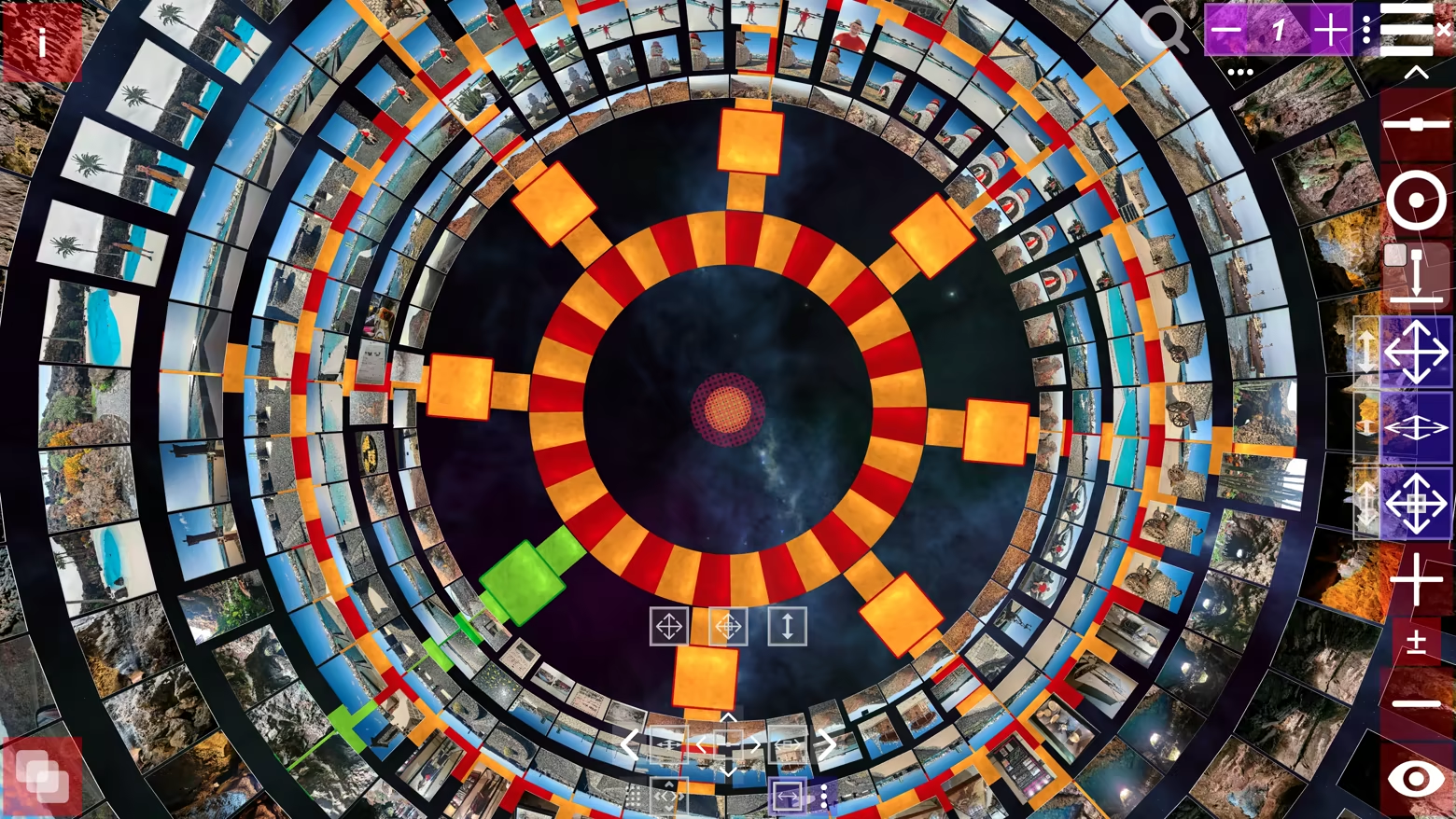
Not a flat photo viewer—Album3D is a game-like 3D photo experience that turns your photos into 3D albums you can manually explore. Instead of scrolling endless rows, you browse by moving through an immersive 3D world and switching between multiple 3D views/layouts anytime.
What makes it different
Album3D is built around the idea that photos are more fun (and often faster) to revisit when they live in a 3D scene you can explore. It’s designed to feel playful and game-like without requiring gaming skills.
Manual exploration that feels like flying: smoothly fly toward photos and glide through your album
Switch views/layouts anytime: instantly change how your album is arranged in 3D
Made for big libraries: organize content into image sets so you can keep browsing comfortably
Import formats
Supported import formats: JPEG, PNG, BMP, and WebP. Photo importing uses credits (virtual currency). Credits can be purchased, and importing requires an online connection.
Explore in an immersive 3D world
Manual exploration is the core experience. Selecting a photo smoothly takes you to it, and navigation feels more like flying than walking.
Viewing modes
Manual Mode: explore freely and browse at your own pace
Slideshow Mode: sit back and enjoy an automated viewing flow
Demo Flythrough: an automatic flythrough that tours your 3D album
Albums, slides, and 3D placement
In Album3D, an album is made of slides: each slide is a 3D placement of an image in the world. This lets your photos become something you can move through, not just flip past.
Views & layouts (switch anytime)
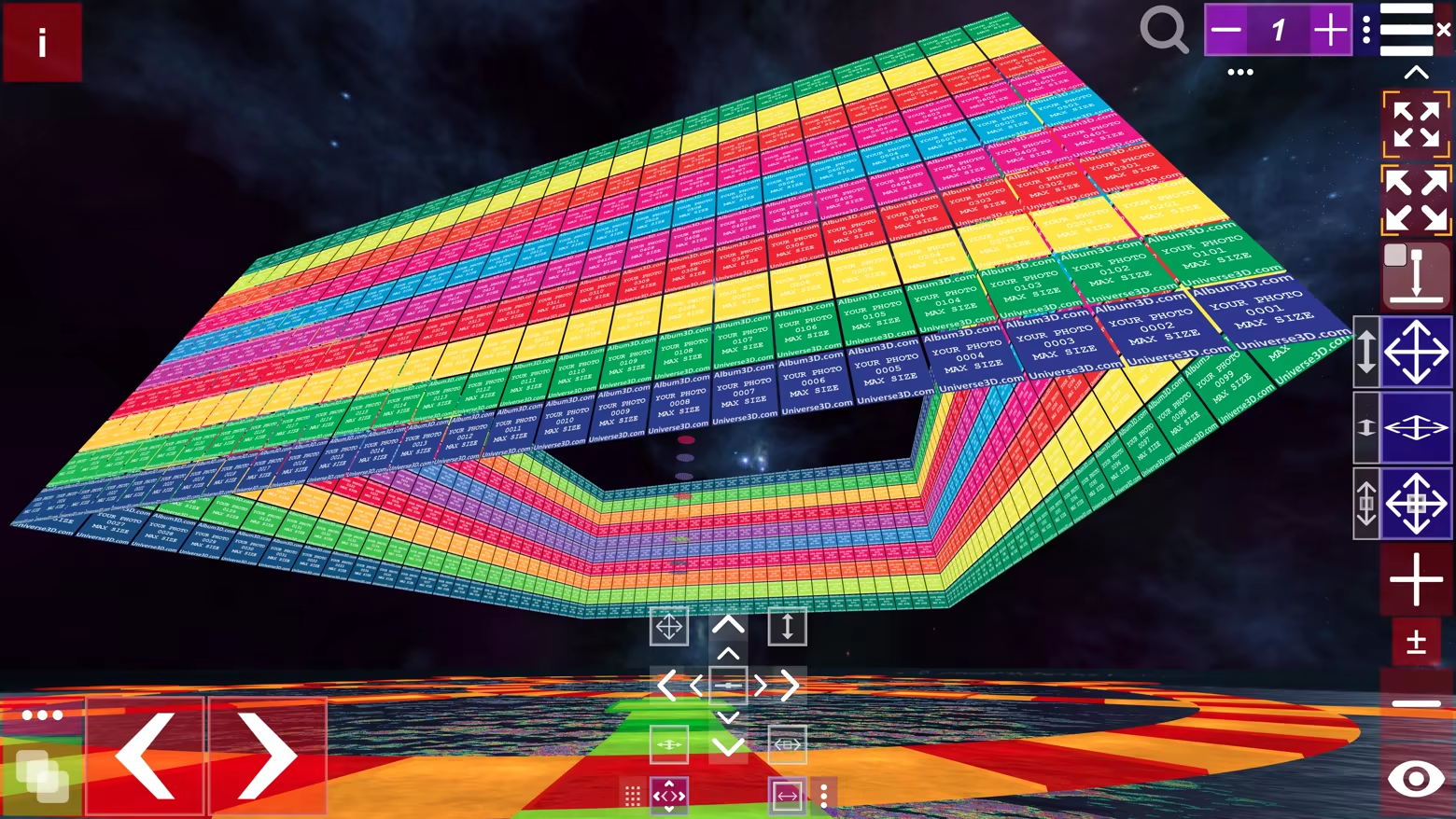
Album3D includes multiple 3D views/layouts you can switch on the fly. Different layouts can feel more organized, more cinematic, or more exploratory—pick what fits your mood and your content.
Built for large photo libraries
Album3D is designed for large collections. Instead of being limited by how many photos fit comfortably in one scene, you can organize your library into multiple image sets—and keep multiple albums in the same project.
Multiple albums per project
Keep multiple albums inside a single Album3D project. Organize by trip, year, family, events, or any system you like, and jump between albums without leaving your project.
Projects, packages, and sharing
Save projects: keep building and revisiting your Album3D world over time
Create packages: archive an album or move it between computers
Share with others: send a project or package to someone else so they can open it on their computer
Who it’s for
People with large photo libraries who want a faster, more enjoyable way to revisit them
Photographers/creators who want a more spatial, gallery-like browsing feel
Anyone who wants their photos to feel less like files—and more like a place to explore
Themes and future expansion
Album3D currently includes one main theme with multiple views/layouts. We plan to expand Album3D over time with additional themes/environments and view options—ranging from more realistic to more stylized depending on the theme—and some may be released as optional add-ons. Details will be shared when they’re ready.
Example images in videos and screenshots
The videos and screenshots on this page include example images to show how Album3D can look in use. Album3D does not include any images by default; it is designed for displaying your own photo and image collections. If you would like to try Album3D with sample content, you can download Album3D Demo.
"Partagez votre expérience de jeu"
Help other gamers! Share how this game runs on your setup, share tips, or ask questions.
Please log in to share your experience with the community!
Jeux les mieux notés
Discover similar games you might enjoy based on genre and creator.
PlanetMars3D: Spirit Mission
4AI Limited
Sonic Racing: CrossWorlds Season Pass Two
Sonic Team
The Alters: Last Variable
11 bit studios

DAVE THE DIVER - In the Jungle Content Pack
MINTROCKET
Astral Ascent - Arven the Wolf Blade
Hibernian Workshop
Monster Hunter Stories 3: Twisted Reflection Trial Version
CAPCOM Co., Ltd.
Avis Légal
Les informations sur le jeu, les images, les descriptions et la configuration système requise affichées sur cette page proviennent de plateformes tierces et n'appartiennent pas à Can I Run It. Nous ne sommes ni affiliés, ni approuvés, ni liés aux développeurs, éditeurs ou distributeurs du jeu.
Can I Run It est un service de vérification de compatibilité système qui aide les utilisateurs à déterminer si leur matériel peut exécuter des jeux spécifiques. Nous ne vendons, ne distribuons et n'hébergeons aucun contenu de jeu.
Toutes les marques commerciales, marques déposées, noms de produits et noms de sociétés ou logos mentionnés ici sont la propriété de leurs propriétaires respectifs.
Si vous pensez qu'un contenu affiché viole vos droits de propriété intellectuelle, veuillez nous contacter à [email protected] avec les détails pertinents, et nous répondrons rapidement à vos préoccupations.