Movavi Video Editor 2023
Movavi
Skyrocket your creativity with the new and improved AI-powered Movavi Video Editor! Create top-notch gameplay videos automatically or tweak the settings to perfection by hand – you’ll get the best result in a breeze. Make your Let's Plays, walkthroughs, and gaming reviews go viral.
Systemanforderungen
Mindestanforderungen
Empfohlene Anforderungen
Über dieses Spiel
Highlights
- A new way to track objects using artificial intelligence.
Link titles, stickers, or masks to objects in the video - AI-powered background removal.
Now, the original background doesn’t have to be a solid color. Easily set any backdrop you want - AI-driven denoiser.
Automatically remove unwanted voices, dogs barking, and other noises from your videos - Faster app launch.
Make the most of the quick start to dive into video creation right away - New music.
Now your clips will resonate in a new way - Direct upload to TikTok.
Share your gameplay videos the minute you’ve created them and get your likes fast - New trendy frames.
Draw attention to the most action-packed moments in your game - Fresh effects sets.
Choose from a vast collection of outros and intro videos, titles, stickers, transitions, and backgrounds to create engaging and thrilling Let’s Plays for social networks and video sharing platforms
Get your in-game exp ready for showing
- Save time and make videos automatically
Select a pre-set theme or create your own, choose music and transitions, and boom! Your movie is ready to blow up on social media. - Edit recorded footage
Get full control of the video montage process: cutting, zooming, reversing, color adjustment, and much more. Create your personalized intro and outro to stand out. Make the most of the built-in smarts: instantly swap backgrounds in your clips without a green screen.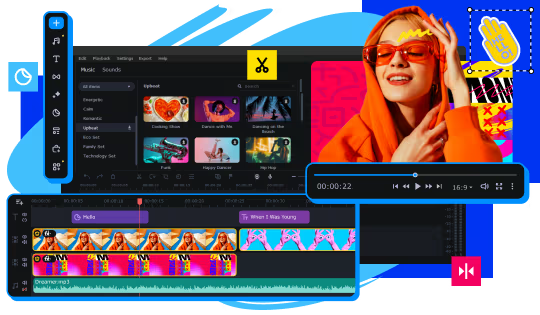
- Adjust sound grabbed from microphone
Make the sound more voluminous with the Reverberation tool and remove any background noise using the power of AI.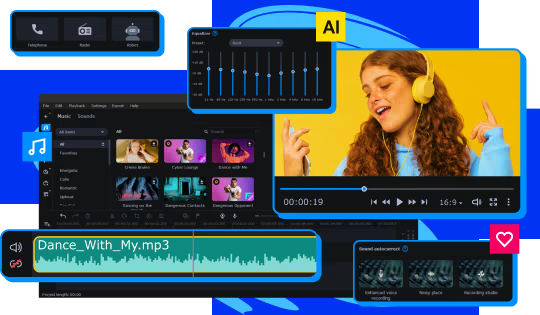
- Add atmospheric audio tracks
Choose energetic background music and sound effects. Add in gunshots, whips, crashes, applause, and more from our built-in library. - Overlay your webcam output
Show all your emotions when playing your favorite games – worried, happy, or excited!
Create polished video clips
Highlight the best moments of your gameplay. Use our AI-powered motion tracking and let everyone follow your video game character. Create dynamic movies with our beat detection function.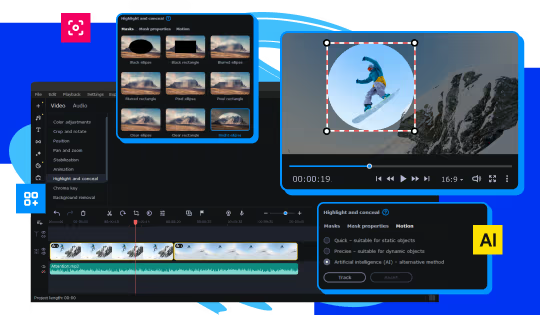
Supercharge your game reviews with awesome filters, LUTs, frames, and animated overlays, in a single click. Make video game AMVs and funny glitch reels.
Own this game? Let everyone know
Prepare video game content for contests: save your files in any popular media format. Share Let’s Play videos on YouTube, Vimeo, TikTok, and Google Drive right from the program.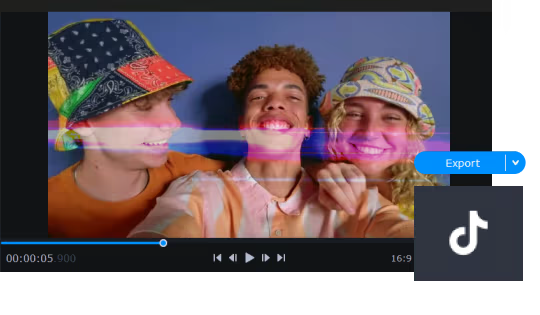
Teile dein Spielerlebnis
Help other gamers! Share how this game runs on your setup, share tips, or ask questions.
Bestbewertete Spiele
Discover similar games you might enjoy based on genre and creator.


Haftungsausschluss
Die Spielinformationen, Bilder, Beschreibungen und Systemanforderungen, die auf dieser Seite angezeigt werden, stammen von Drittanbieterplattformen und sind nicht Eigentum von Can I Run It. Wir sind nicht mit den Spieleentwicklern, Publishern oder Distributoren verbunden, werden von ihnen nicht unterstützt und stehen in keiner Verbindung zu ihnen.
Can I Run It ist ein Systemkompatibilitäts-Prüfdienst, der Nutzern hilft festzustellen, ob ihre Hardware bestimmte Spiele ausführen kann. Wir verkaufen, vertreiben oder hosten keine Spielinhalte.
Alle hier erwähnten Marken, eingetragenen Marken, Produktnamen und Firmennamen oder Logos sind Eigentum ihrer jeweiligen Inhaber.
Wenn Sie der Meinung sind, dass angezeigte Inhalte Ihre geistigen Eigentumsrechte verletzen, kontaktieren Sie uns bitte unter [email protected] mit relevanten Details, und wir werden uns umgehend um Ihre Anliegen kümmern.