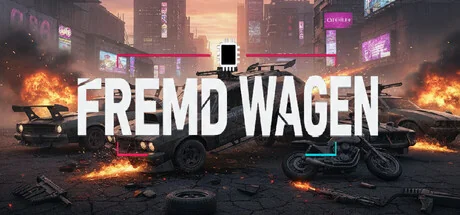
Fremd Wagen: Mod Chaos
alpware
Fremd Wagen: Modding Mayhem. The ultimate frustrating mathematical mod simulator. To stop the crashes, ensure your Mod Sum obeys the Rule of 42. Install the bypass fix, clean the DLLs, and solve the equation. Failure results in a 0xC0000005 crash!
Systemanforderungen
Mindestanforderungen
Empfohlene Anforderungen
Über dieses Spiel
ABOUT
Fremd Wagen: Modding Mayhem is not just a game—it's a simulation, a puzzle, and an homage to the most frustrating realities of the modding world. This closed desktop environment simulates all system and file interactions.
Your mission is to survive the absurd chaos created by the developer Eisen Spiel’s security measures and clashing community mods. A successful modding experience depends on the presence of a critical file and a numerical total of all files in your MOD directory:
Remember: The game's stability relies on the relationship between the numerical sum of all .rpf files in your Mod folder (SUM) and the Number 42. Crash or success depends on solving this hidden mathematical equation.
KEY FEATURES
🤯 Critical Mod Loading Logic (The Rule of 42)
The game's loading time and stability depend entirely on the numerical sum (SUM) of the integer values found in all .rpf files located in the MOD directory.
Mathematical Determination: If your Mod Sum satisfies the correct numerical condition (determined by SUM % 42), the game launches successfully after a critical 42-second wait.
Catastrophe: If your Mod Sum satisfies the wrong condition, the game instantly closes with a FATAL CRASH (0xC0000005) error. Try again and change the numbers!
Instant Success / Alternative Exit: Instant success occurs if the total sum is zero; an alternative program launches if the sum is a perfect multiple of 42.
🔑 Launch Bypass Mechanism
To launch the game, you must bypass the Eisen Spiel Launcher. Find the correct ultimate_crash_fix.cs file and place it in the game directory.
Otherwise, you will be stuck at the Launcher’s irritating login screen (admin / admin).
🌐 Virtual Windows and Tools
Full Control: Use Ctrl+C / Ctrl+X / Ctrl+V commands within Pathfinder (File Explorer) to manage files on the virtual C: drive.
Error Monitoring: The Event Viewer app reports simulated 0xC0000005 crashes and failure reports.
Hroma Browser: Visit unreliable websites and traps to download mods.
🏆 The Only True Ending
Place all necessary files (bypass fix), clean the DLLs, and tune your Mod Sum to the Rule of 42. If successful, the entire desktop simulation closes, implying control is passed to the external program.
LEGAL DISCLAIMER: Fremd Wagen: Mod Chaos is an independent parody simulation. This work is NOT affiliated with, endorsed by, or associated with any AAA game developers or their respective open-world franchises. All content is original, and any resemblance to real-world software errors or specific gaming brands is purely for satirical purposes.
Teile dein Spielerlebnis
Help other gamers! Share how this game runs on your setup, share tips, or ask questions.
Bestbewertete Spiele
Discover similar games you might enjoy based on genre and creator.






Haftungsausschluss
Die Spielinformationen, Bilder, Beschreibungen und Systemanforderungen, die auf dieser Seite angezeigt werden, stammen von Drittanbieterplattformen und sind nicht Eigentum von Can I Run It. Wir sind nicht mit den Spieleentwicklern, Publishern oder Distributoren verbunden, werden von ihnen nicht unterstützt und stehen in keiner Verbindung zu ihnen.
Can I Run It ist ein Systemkompatibilitäts-Prüfdienst, der Nutzern hilft festzustellen, ob ihre Hardware bestimmte Spiele ausführen kann. Wir verkaufen, vertreiben oder hosten keine Spielinhalte.
Alle hier erwähnten Marken, eingetragenen Marken, Produktnamen und Firmennamen oder Logos sind Eigentum ihrer jeweiligen Inhaber.
Wenn Sie der Meinung sind, dass angezeigte Inhalte Ihre geistigen Eigentumsrechte verletzen, kontaktieren Sie uns bitte unter [email protected] mit relevanten Details, und wir werden uns umgehend um Ihre Anliegen kümmern.