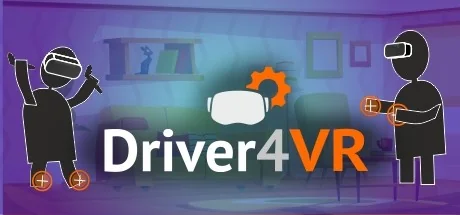
Driver4VR
Frankly Dog
Driver4VR is a versatile virtual reality solution that provides many useful VR features. You can use it for body tracking, head & hand tracking, controller emulation, utilities, and alternative VR configurations.
Systemanforderungen
Mindestanforderungen
Empfohlene Anforderungen
Über dieses Spiel
VERSATILE VR SOLUTION
Unlock the hidden potential of virtual reality with Driver4VR! It will help you in enhancing your experience with many useful features, including:
💪 Body tracking
👋 Head & hand tracking
🎮 Controller emulation
📺 tVR (virtual reality on monitor or TV)
🔧 Utilities
- WHAT MAKES DRIVER4VR STAND OUT?
🥇 Years of experience & ongoing development
🤖 Lots of usage options (body tracking, controller emulation & more)
🌎 Global Discord community
⚙️ Easy setup & helpful tutorials
💰 Affordable price for a convenient VR tool
Driver4VR is also the main source of funding for WalkinVR, the first software that allows people with disabilities to play VR games.
MANY WAYS OF BODY TRACKING
This VR solution allows adding body tracking for existing VR setups like Oculus, HTC Vive or Valve Index. It can emulate body tracking with:
- Puppeteer - actually emulation with hand controllers :)
- Kinect
- Web Camera
- Oculus CV1 Touch Controllers
- Nolo VR
- PS Controllers with PS Eye cameras via PSMoveServiceEx
- Camera Markers with PS Eye Camera
VR ON MONITOR OR TV
Driver4VR allows users to play some VR games on TV (this solution is called tVR). It’s an alternative way to use VR content for people who for some reason can't do it in a classic way (with headset and controllers).
3DOF and 6DOF TRACKING POSSIBILITIES
For 3DoF Headsets like phone-vr, PSVR or VRTek, Driver4VR can add position tracking and controller emulation. It also uses alternative devices (previous generation consoles, mice, keyboard) to emulate virtual reality controllers and input.
Additionally, it can add positional tracking (6DoF) in case you have a headset that just supports the rotation like phone-based VR, VR Tek, Pimax, etc. It uses Kinect to emulate positional tracking.
Please note that we are using alternative tracking methods to approximate a true 6DOF experience. You may want to look into Oculus Quest or similar devices at a cheap price for the head and hands tracking and use Driver4VR for only the body tracking - feet and waist.
SMART CONTROLLER EMULATION
Controllers can be emulated with devices like PS Move, Joy-Con, Wii Remote, VR Gamepad, Mouse, Xbox Controller, Keyboard. Combined with positional tracking, it makes a complete virtual reality setup with hand tracking and input.
Without Kinect you can use those devices alone to emulate position a'la Oculus Go which is called Virtual Tracking.
USEFUL VR UTILITIES
Driver4VR is also a set of useful virtual reality utilities like e.g. Virtual Move, Input Emulation, fix floor position, emulation of broken Index thumbstick with touchpad and many others.
REQUIREMENTS
Bluetooth devices (Bluetooth connection required):
- Nintendo Switch JoyCon
- Nintendo Wii Remote
- PS3 Move / PS4 Move
- VR Gamepad
Web Camera:
- Any PC Compatible Web Camera
Kinect:
- Kinect 360 - Kinect 360 adapter and standard USB 2.0
- Kinect 2.0 - Kinect 2.0 adapter and USB 3.0
IMPORTANT UPDATES & SUPPORT
PSVR Display Driver and PS4 Camera tracking goes out of support by end of June 2024.
Wii Remote model RVL-CNT-01-TR is not yet supported at the moment but working on it.
When using the Driver4VR for the first time, it MUST be started from the "Launch" button, to ensure any additional services and drivers it requires get installed.
Got questions or installation issues? Ask away at for technical answers & great solutions to use Driver4VR. You can also join our thriving Discord community & share thoughts with other users.
Teile dein Spielerlebnis
Help other gamers! Share how this game runs on your setup, share tips, or ask questions.
Bestbewertete Spiele
Discover similar games you might enjoy based on genre and creator.




Haftungsausschluss
Die Spielinformationen, Bilder, Beschreibungen und Systemanforderungen, die auf dieser Seite angezeigt werden, stammen von Drittanbieterplattformen und sind nicht Eigentum von Can I Run It. Wir sind nicht mit den Spieleentwicklern, Publishern oder Distributoren verbunden, werden von ihnen nicht unterstützt und stehen in keiner Verbindung zu ihnen.
Can I Run It ist ein Systemkompatibilitäts-Prüfdienst, der Nutzern hilft festzustellen, ob ihre Hardware bestimmte Spiele ausführen kann. Wir verkaufen, vertreiben oder hosten keine Spielinhalte.
Alle hier erwähnten Marken, eingetragenen Marken, Produktnamen und Firmennamen oder Logos sind Eigentum ihrer jeweiligen Inhaber.
Wenn Sie der Meinung sind, dass angezeigte Inhalte Ihre geistigen Eigentumsrechte verletzen, kontaktieren Sie uns bitte unter [email protected] mit relevanten Details, und wir werden uns umgehend um Ihre Anliegen kümmern.