
A Living Corner
Catnip Studio
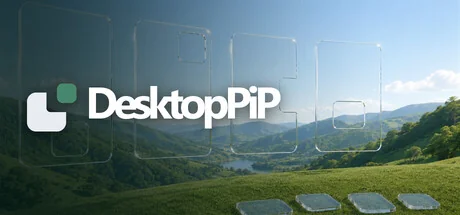
A little life for your desktop. Watch mountains shift from day to night, ripple a pond and play with birds and fish. Enjoy 15 themes in a window, as live wallpaper or a screensaver: pressure-free company at your own pace, with six handy tools and media controls.
Systemanforderungen
Mindestanforderungen
Empfohlene Anforderungen
Über dieses Spiel
Pressure-free company that respects your pace
Enjoying the scenery needs no goals or constant input. Play with birds and fish, or simply let them roam. Choose your window size and position; open the tool and media panels when needed and tuck them away afterward. The scenery responds when you join in and quietly stays beside you when you are busy.Six little scenes, each full of life
- Wings over Azure Peaks: Mist drifts between layered mountains. Sky, peaks and clouds follow your local time, from morning light through dusk into night. Drag a passing bird, then release it and watch it speed into the distance.
- Koi Reverie: Koi weave among lotus leaves and flowers. Tap the water to make ripples and draw fish closer; drag koi, nudge leaves and move flowers to play with this lively pond.
- Alpine Reflections: Snowy mountains reflect in a lake as branches sway in the wind. Click a tree trunk to watch a new tree grow.
- Dandelion Drift: Colors gradually change with your local day and night. Brush the seed heads with your mouse, then click to shake seeds loose and watch them float away.
- Abyssal Shoal: Fish gather and scatter in dark waters. Drag a fish and release it to watch it flick its tail and swim away faster.
- Letters in the Wind: Your typing grows into leaves on branches, swaying in the breeze. Brush the foliage to send the words drifting into the wind.
More scenery to switch between whenever you like:
- Glimmering Constellations connects points of light into a starry web; Prismfall sends out colorful ripples; Iridescent Accretion swirls around a dark core.
- Moment Cascade tells time with tumbling digits, Clockwork Reverie sets gears and hands in motion, and Domino Clock forms a clock face with a ring of dominoes.
- For a short play break, try Sudoku Harmony's sudoku, Sliding Harmony's sliding number puzzle, or Color Cascade's falling blocks.
Window, wallpaper or screensaver: your choice
Look closer in a movable, resizable window, set a live wallpaper alongside your work, or use a Windows screensaver when you step away. Wallpaper and screensaver modes can use one monitor or all monitors, with extras such as always-on-top windows and keyboard shortcuts.Six tools for everyday little tasks
- Task list: Capture and organize to-dos, then check them off as you finish.
- Pomodoro timer: Customize focus and break durations; pause and resume whenever you like.
- Notes: Jot down ideas and snippets. Edits are saved automatically on your computer.
- Shelf: Temporarily hold files, images, text and links; original files stay in their original locations.
- Keep awake: Keep your computer awake when needed.
- Sleep timer: Schedule computer sleep, with options to cancel or postpone.
Media controls within reach
Use the media panel to see what is playing, play or pause, skip to the previous or next track, and adjust system volume. Drag the panel within the main window or show it alongside tool panels to control players that support system media controls.A little scenery, a little life. Work, rest or simply watch, at your own pace.
Teile dein Spielerlebnis
Help other gamers! Share how this game runs on your setup, share tips, or ask questions.
Bestbewertete Spiele
Discover similar games you might enjoy based on genre and creator.


Haftungsausschluss
Die Spielinformationen, Bilder, Beschreibungen und Systemanforderungen, die auf dieser Seite angezeigt werden, stammen von Drittanbieterplattformen und sind nicht Eigentum von Can I Run It. Wir sind nicht mit den Spieleentwicklern, Publishern oder Distributoren verbunden, werden von ihnen nicht unterstützt und stehen in keiner Verbindung zu ihnen.
Can I Run It ist ein Systemkompatibilitäts-Prüfdienst, der Nutzern hilft festzustellen, ob ihre Hardware bestimmte Spiele ausführen kann. Wir verkaufen, vertreiben oder hosten keine Spielinhalte.
Alle hier erwähnten Marken, eingetragenen Marken, Produktnamen und Firmennamen oder Logos sind Eigentum ihrer jeweiligen Inhaber.
Wenn Sie der Meinung sind, dass angezeigte Inhalte Ihre geistigen Eigentumsrechte verletzen, kontaktieren Sie uns bitte unter [email protected] mit relevanten Details, und wir werden uns umgehend um Ihre Anliegen kümmern.